![PrimaryLogo-1.png]](https://helpcenter.surecost.com/hs-fs/hubfs/Marketing/PrimaryLogo-1.png?height=50&name=PrimaryLogo-1.png)
Overview
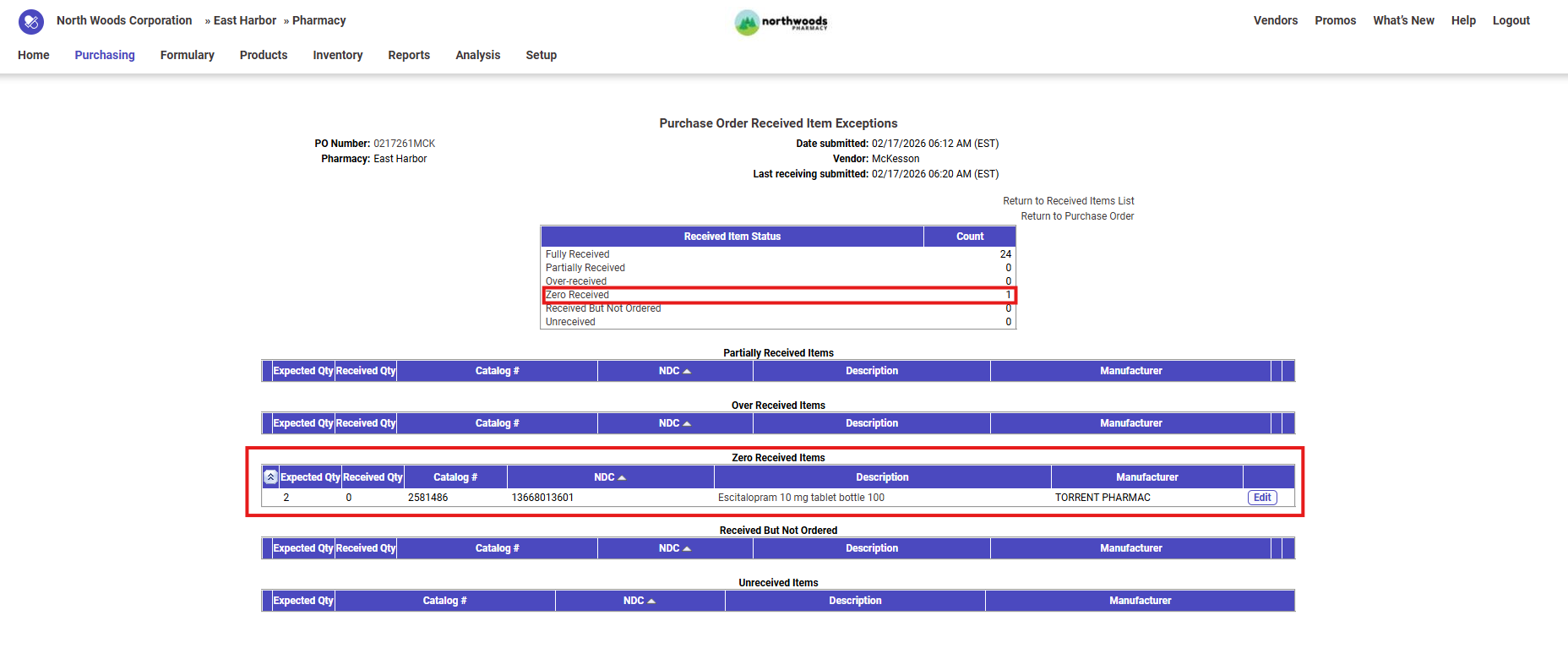
In SureCost, a zero-received item means the item was previously received but the receipt was later edited and the Quantity Received was changed to 0.
This action reverses the receipt while keeping a record of the original receiving activity. The item remains on the purchase order and can be received again when the product actually arrives.
Why an Item May Show as Zero-Received
You may see a zero-received item when a receipt was corrected after it was originally entered.
Common reasons include:
-
The item was received by mistake
-
The wrong item was selected during receiving
-
The wrong quantity was entered
-
The delivery had not actually arrived yet
Instead of deleting the receipt, the user edits it and sets the quantity received to 0.
How to Zero-Receive an Item
If an item was received incorrectly, you can reverse the receipt by editing it.
Steps
-
Open the Purchase Order.
-
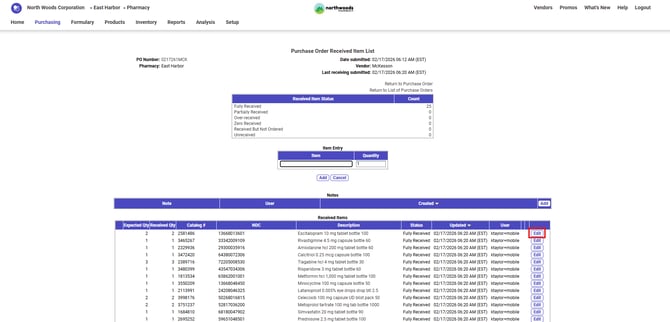
Locate the item that was received incorrectly.
-
Click Edit on the receipt.
-
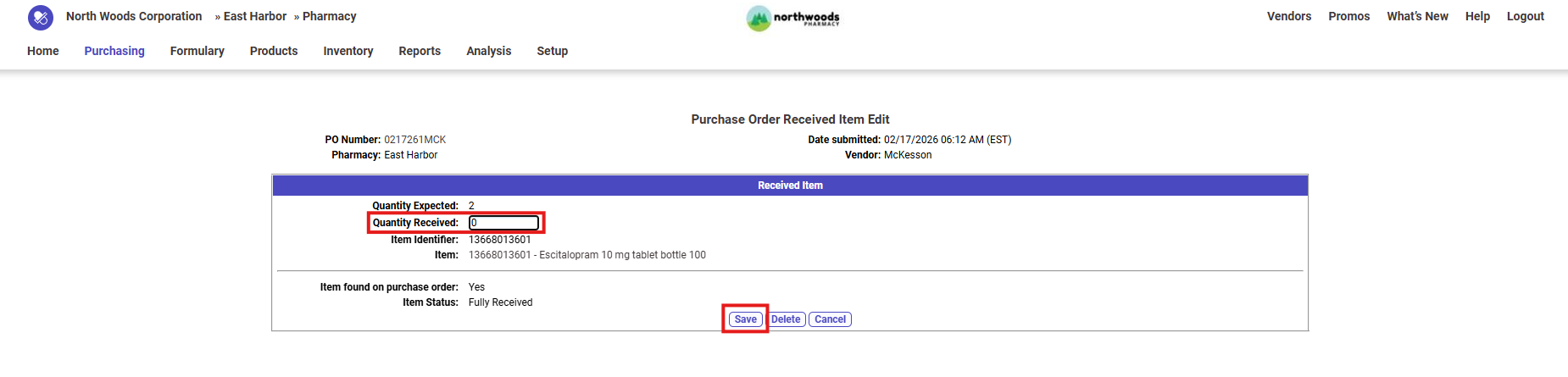
Change the Quantity Received field to 0.
-
Click Save.
The item will no longer appear as received and will remain open on the purchase order.
What Happens After Zero-Receiving
When a receipt is updated to a quantity of 0:
-
The item is no longer marked as received
-
The purchase order line reopens for receiving
-
The receipt record remains in the system
-
The item can be received again later
This behavior ensures the system keeps a full history of receiving activity.
Example
A user receives a quantity of 2 Escitalopram 10 mg tablet bottle 100 on a purchase order but later realizes the items were not in the shipment.
To correct the mistake:
-
The user edits the receipt.
-
The Quantity Received is changed from 2 to 0.
-
The receipt is saved.
Result:
-
The purchase order now shows 0 received
-
The item remains open
-
The item can be received when they actually arrive
Key Notes
-
Zero-receiving does not remove the item from the purchase order
-
It simply reverses the receipt
-
This method keeps a complete audit history of receiving changes